
DNS Takeover Alerts in PowerDMARC enable you to continuously monitor your domains for misconfigured DNS records that attackers can exploit to hijack your subdomains even when DMARC is fully enforced. Leveraging the enhanced PowerAlerts system, you can configure alerts that automatically scan your domain infrastructure, detect dangling DNS records, and notify your team the moment a risk is identified.
This article provides a step-by-step guide to configuring DNS Takeover Alerts and explains each configuration option to help you set up effective, proactive monitoring for your domains.
Step 1: Select Monitoring Entities
Navigate to PowerAlerts > Configuration >Add Alert Configuration.
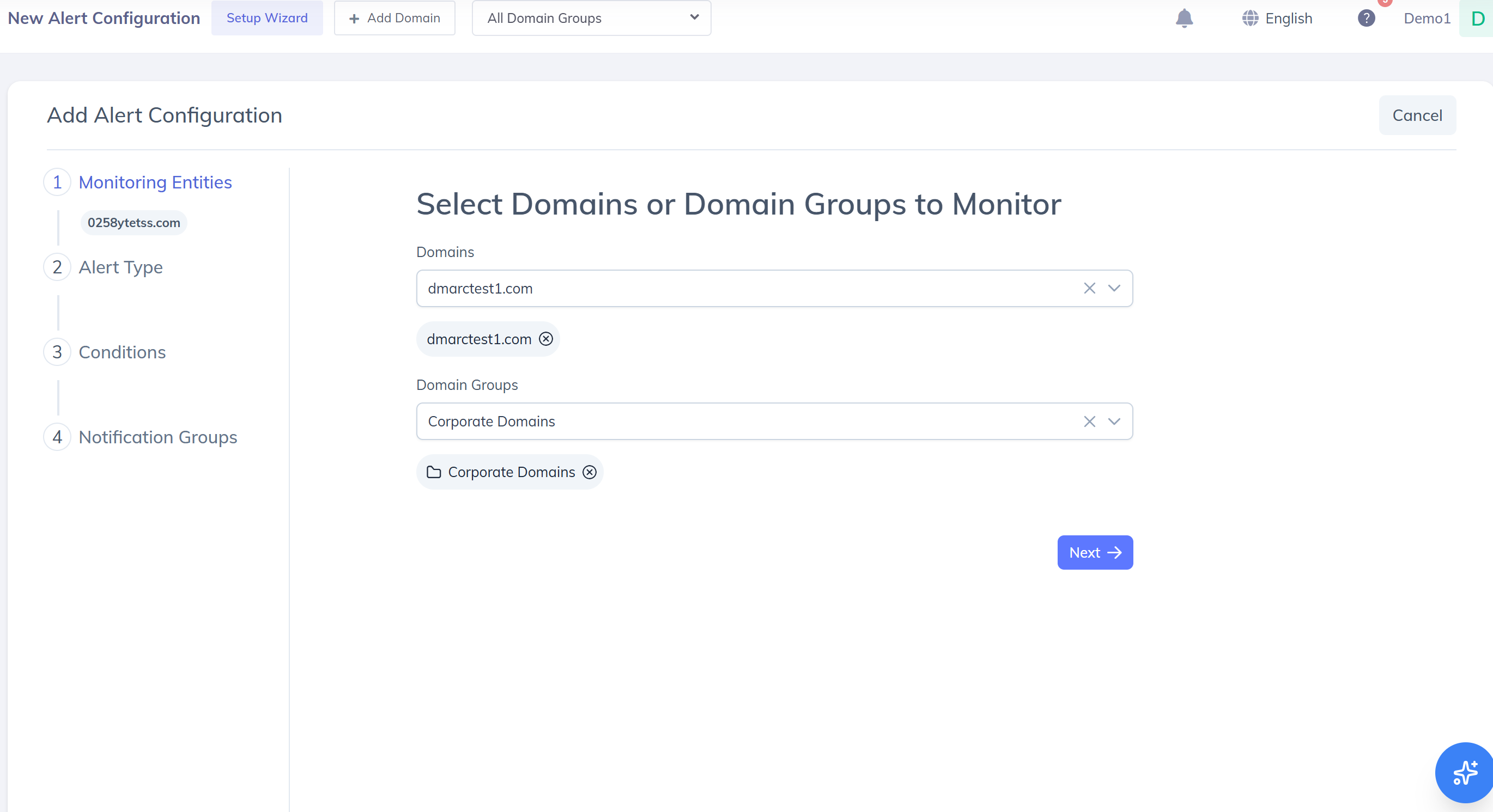
Click Add Alert Configuration.
Under Monitoring Entities, select one or more domains, or a domain group to monitor multiple domains together.
Once selected, click Next.
Monitoring entities define which domains the DNS Takeover alert will apply to. Only explicitly added (paid) domains can be selected as monitoring entities. Auto-discovered subdomains cannot be selected directly.
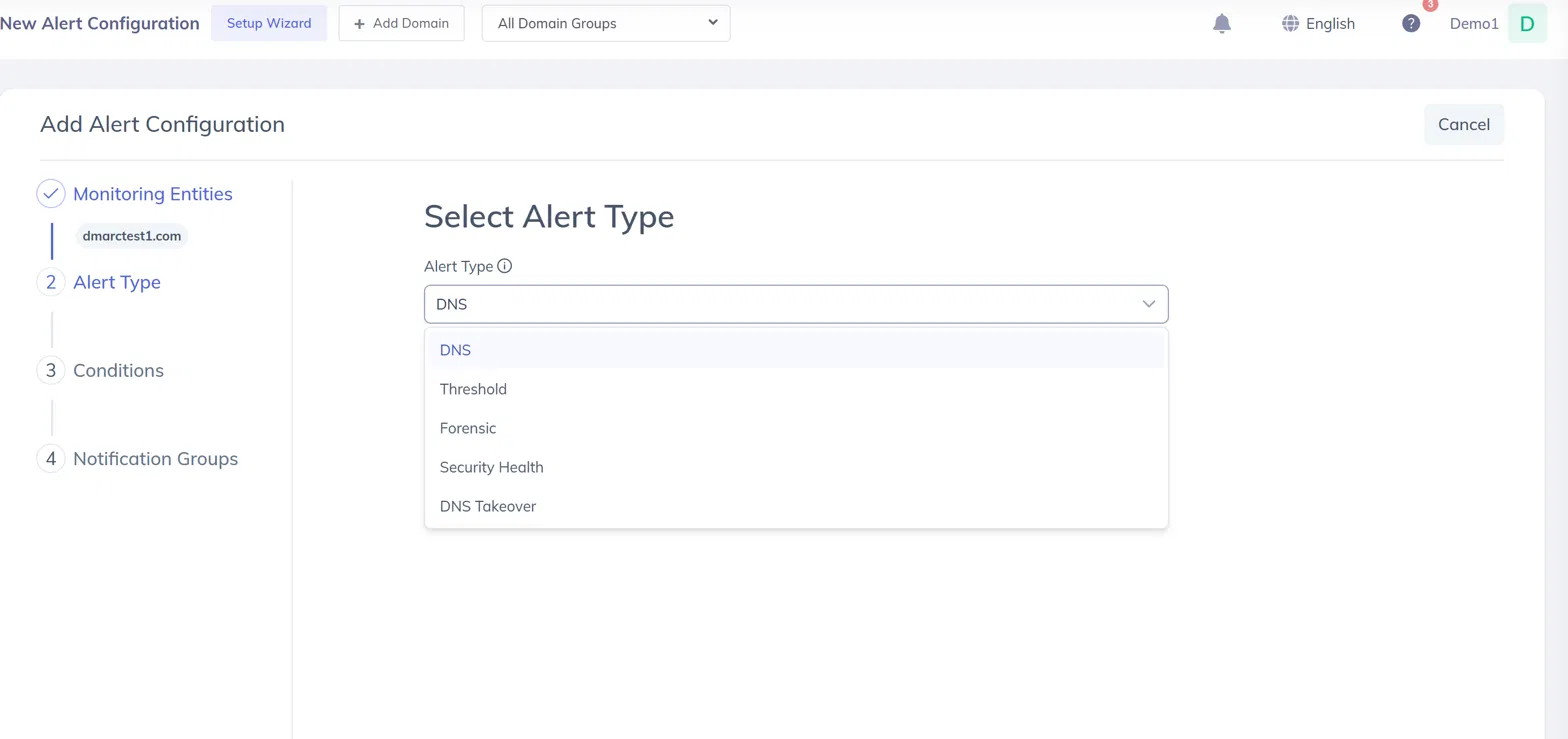
Step 2: Select Alert Type
In the Alert Type section, choose DNS Takeover from the dropdown.
Click Next to continue.
DNS Takeover alerts monitor your domain's DNS records for configurations that are vulnerable to subdomain takeover attacks such as nameserver delegations, CNAME records, SPF includes, and MX records that point to hostnames or domains that no longer exist.
Step 3: Configure Alert Conditions
This is the core step where you define which DNS takeover checks should trigger an alert.
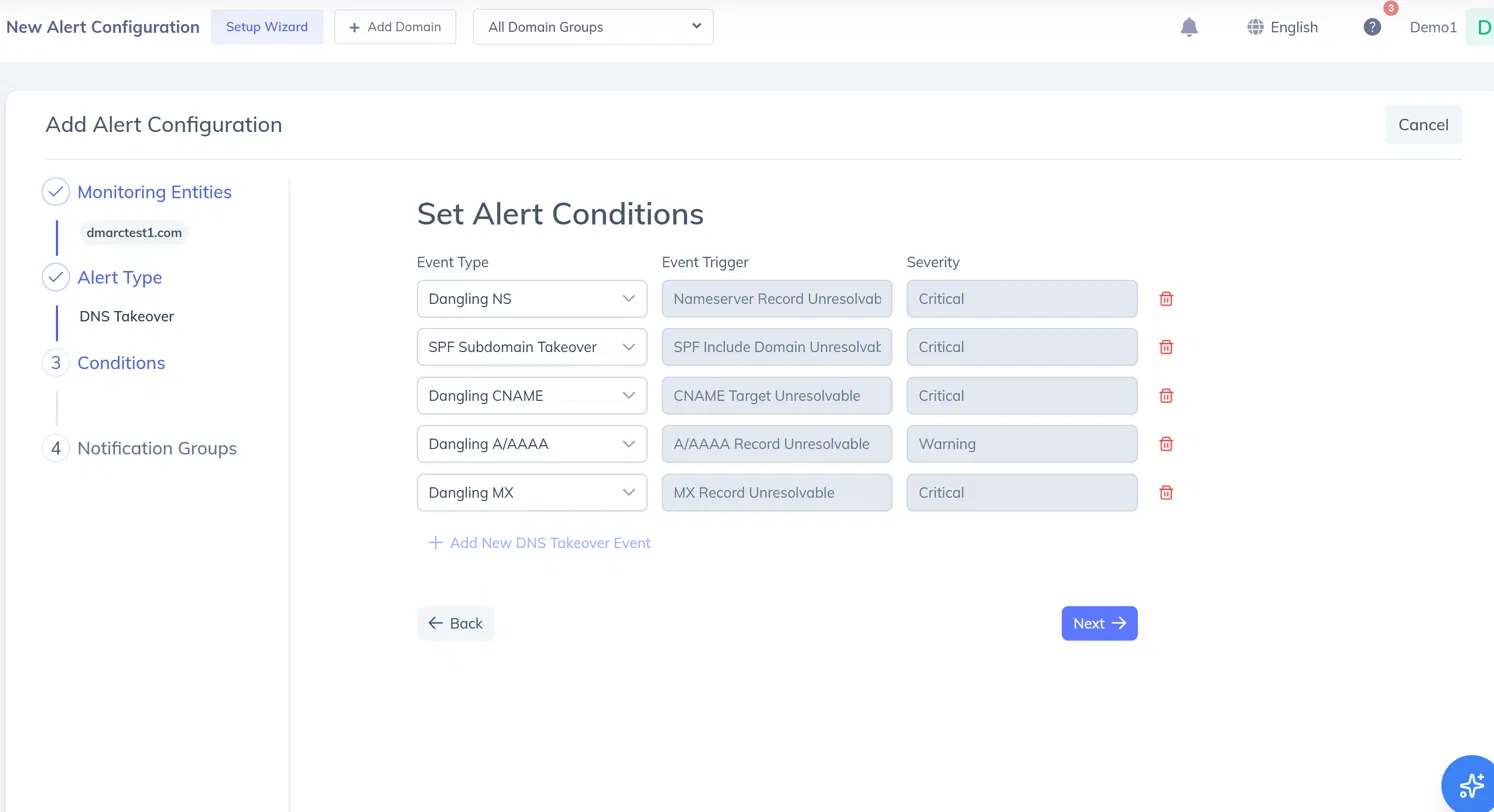
Event Type
Event Type determines which class of DNS misconfiguration you want to monitor. Select one or more of the following:
Event Trigger
Event Trigger is automatically populated based on the Event Type selected and represents the specific detection signal that will generate the alert:
Severity
Severity is system-assigned based on the risk level of each check type and is displayed as a read-only field. It cannot be manually adjusted for DNS Takeover alerts.
Adding Multiple Conditions
You can monitor more than one check type within the same alert configuration:
Click + Add New DNS Takeover Event to add individual conditions one at a time.
All five check types can be active within a single configuration.
Once all conditions are set, click Next.
Step 4: Configure Notification Groups
Notification Groups define who receives alert notifications and how they are delivered. You can either select an existing notification group or create a new one.
Option 1: Create a New Notification Group
If no suitable notification group exists, you can create one directly from the alert configuration flow.
Click Create Notification Group.
In the Create Notification Group panel, provide the following details:
Name: Enter a name to identify the notification group. This name will appear when selecting notification groups for alerts.
Emails: Add one or more email addresses to receive alert notifications. Multiple email addresses can be added as recipients.
Webhooks (Optional):Use Add Webhook to configure webhook-based notifications for third-party services such as Slack or Discord.
Click Save to create the notification group.
Once created, the new notification group is available for selection and can be reused across multiple alert configurations.
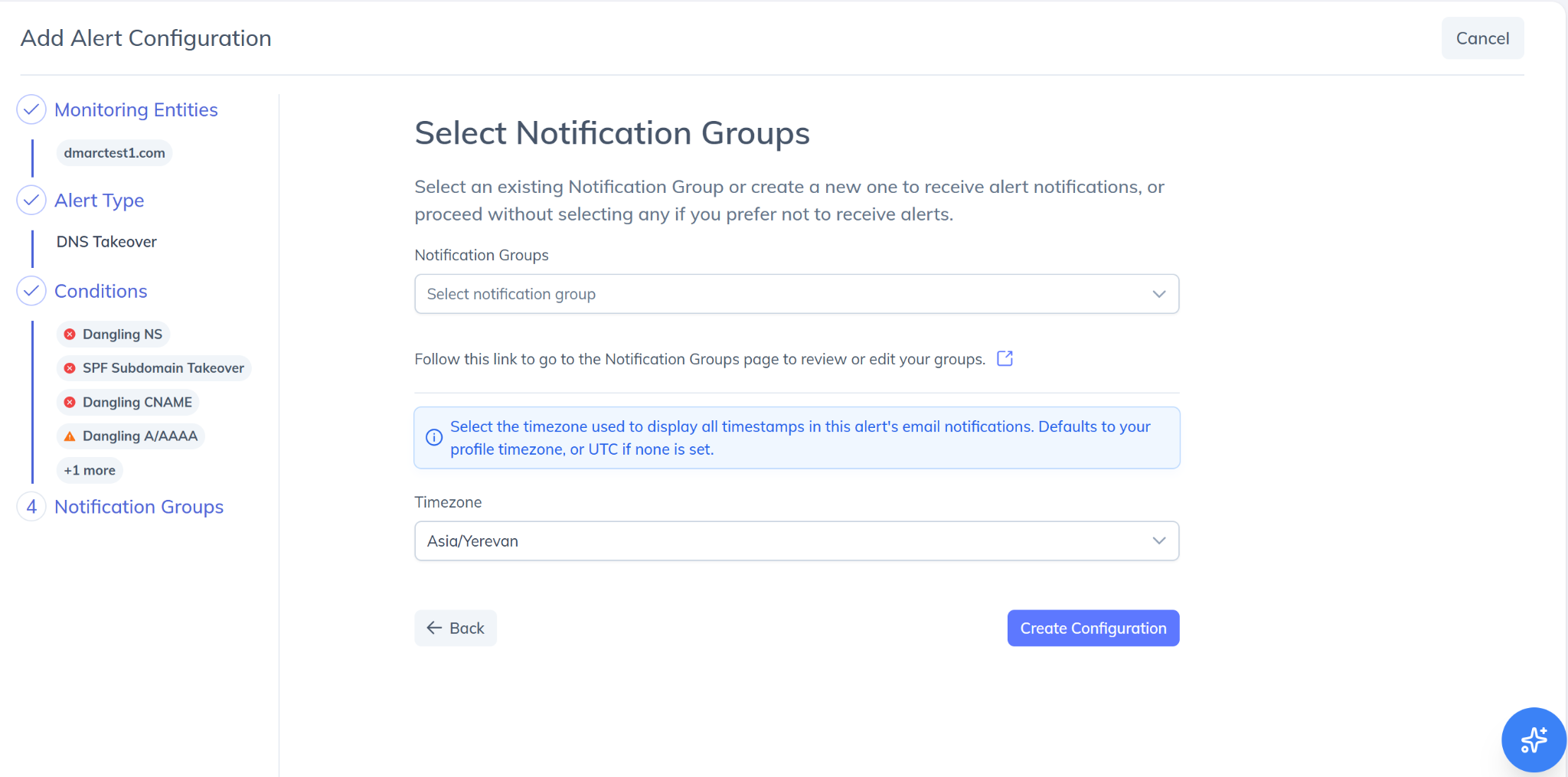
Option 2: Select an Existing Notification Group
In the Notification Groups section, click the dropdown.
Select one or more existing notification groups from the list.
Proceed to create the alert configuration.
Step 5: Create Alert Configuration
Review the selected domains, alert type, conditions, and notification settings.
Click Create Configuration to save the alert.
Your DNS Takeover Alert will now begin monitoring immediately. An initial scan runs as soon as the configuration is saved, followed by continuous scheduled scans.
How DNS Takeover Detection Works
Once a DNS Takeover alert configuration is active, PowerDMARC's detection engine runs the following process:
Initial scan — Runs immediately when the configuration is saved.
Scheduled scans — Re-run every 24 hours per monitored domain. An initial scan triggers immediately on configuration save; subsequent scans confirm new risks or resolution of existing findings.
Subdomain scope — The engine scans only domains and subdomains that have been explicitly added to your PowerDMARC account. To receive alerts for a subdomain, it must be added to your account and selected as a monitoring entity in the alert configuration.
DNS validation — Each DNS query is retried exactly 3 times before a record is classified as unresolvable (NXDOMAIN). Authoritative DNS resolution is used rather than recursive/cached resolvers to prevent false positives.
Resolution chains — The engine follows DNS resolution chains up to a maximum of 10 consecutive hops (e.g. chained CNAMEs). If the maximum depth is exceeded, evaluation terminates for that record and is logged internally without generating a finding.
Reoccurrence — If a previously resolved finding reoccurs in a later scan, a new alert is created with a new First Triggered Date. The historical resolved finding is retained for audit and reporting purposes.
A finding is only created when a DNS object is confirmed as unresolvable (NXDOMAIN) after multiple validation attempts, to prevent false positives from transient DNS failures.
Viewing DNS Takeover Alerts
Once triggered, DNS Takeover alerts appear in PowerAlerts > Alert Logs under the DNS Takeover Alerts tab.
Each alert entry displays:
Remediation Guidance
Each DNS Takeover alert includes an inline remediation message explaining what was detected and what action to take:
Alert Status
Disabling or Deleting a DNS Takeover Alert
From the Alert Configurations list, you can manage any DNS Takeover alert using the action controls on each row:
Edit (pencil icon) — Modify the conditions, monitoring entities, or notification group.
Toggle (power icon) — Enable or disable the configuration without deleting it. Disabling pauses monitoring and stops notifications for that configuration.
Delete (bin icon) — Permanently remove the configuration. Associated alert log entries are retained in Alert Logs.
For further assistance, visit support.powerdmarc.com or contact your PowerDMARC account manager.