
Once your Whitelabel configuration is complete, you can optionally manage the DMARC and BIMI DNS records associated with your whitelabel domain directly from the Whitelabel page.
This feature allows MSSP Super Admins and authorized administrators to configure and update DMARC and BIMI records without leaving the PowerDMARC portal. Any changes made are applied immediately to the managed DNS zone. However, please note that DNS propagation may take some time depending on your DNS provider.
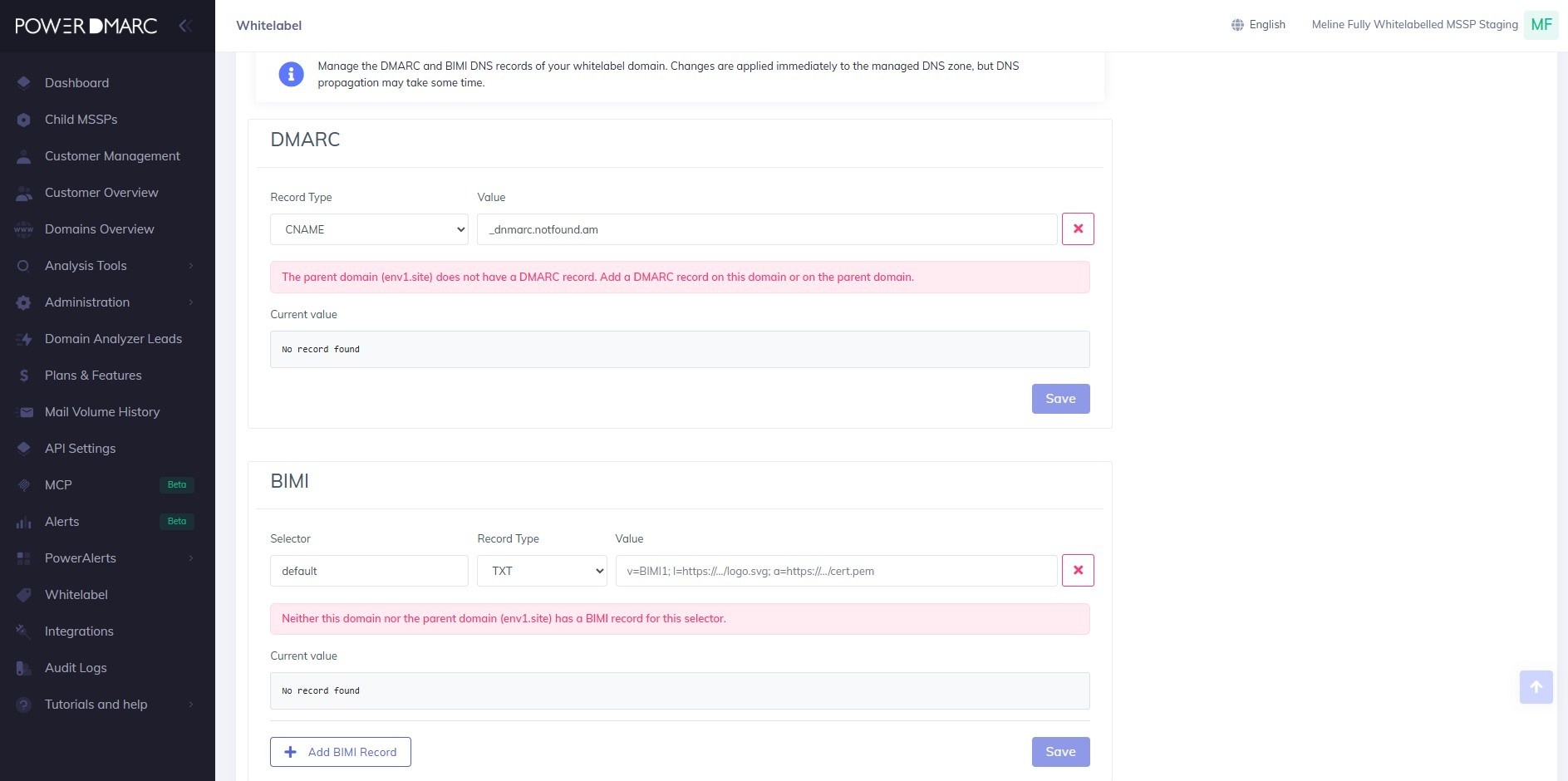
Configuring a DMARC Record
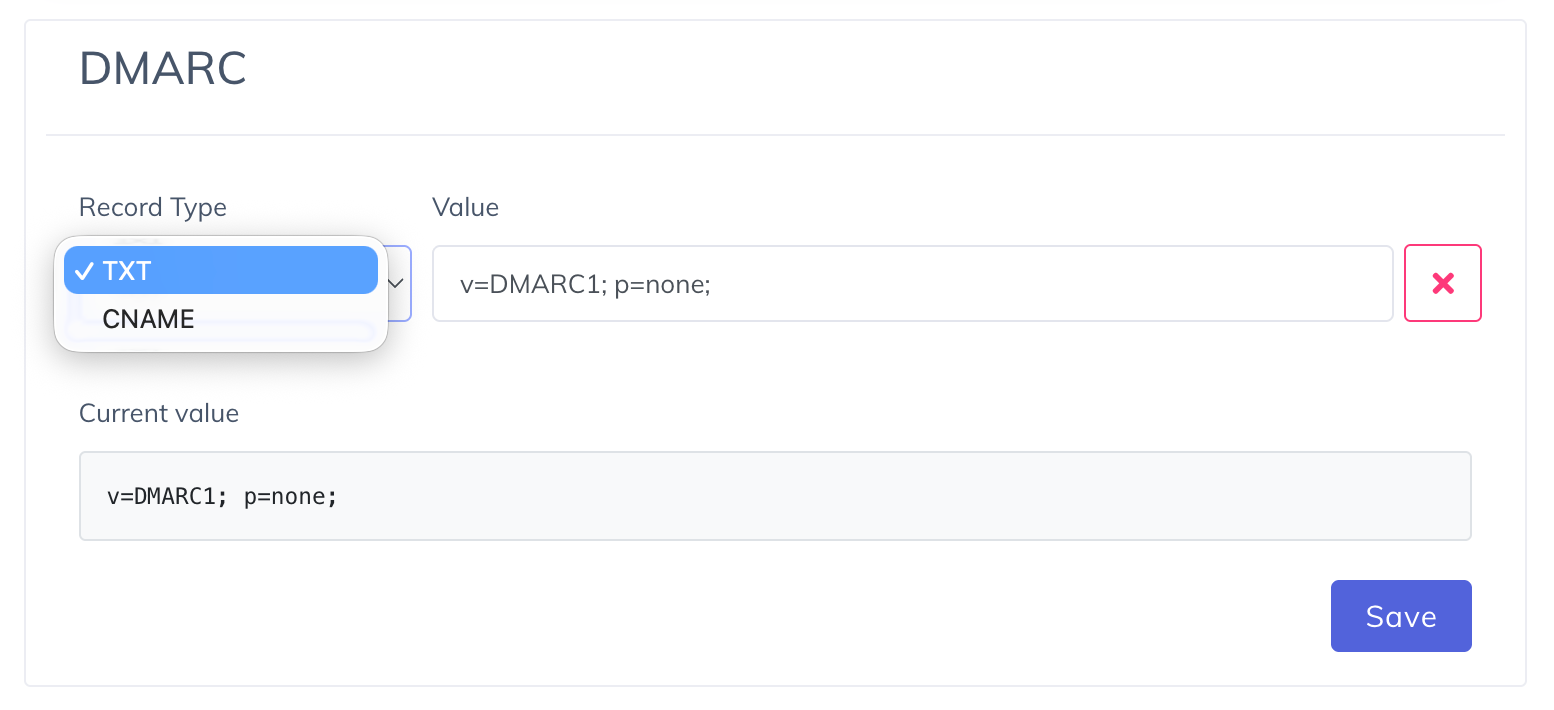
Scroll down to the DMARC section on the Whitelabel page.
Select the required Record Type.
Enter the DNS record value.
Click Save to apply the changes.
The platform automatically validates the configuration and displays the current DNS value detected for the whitelabeled domain.
If no DMARC record exists on either the whitelabeled domain or its parent domain, a validation message is displayed, prompting you to configure the required record.
Configuring a BIMI Record
To configure a BIMI record:
Enter the Selector (for example, default).
Select the appropriate Record Type.
Enter the BIMI record value.
Click Save to publish the record.
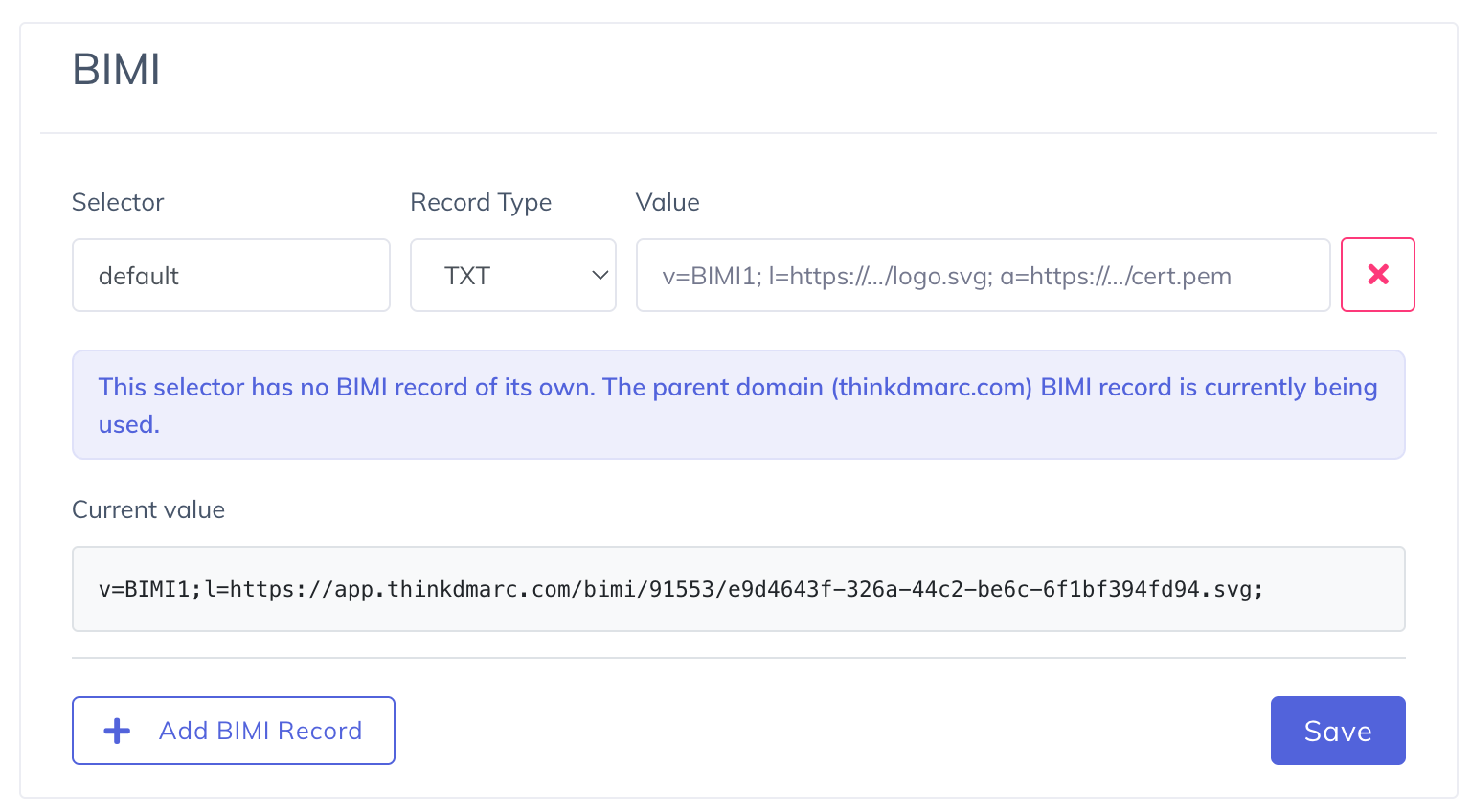
If you need to configure multiple BIMI selectors, click Add BIMI Record and provide the required values for each selector.
The platform validates the configured record and displays the current DNS value for the whitelabeled domain. If a BIMI record is not found for the specified selector on the whitelabeled domain or its parent domain, an informational message is displayed to help identify the missing configuration.
Note: Changes made in the DMARC and BIMI sections are applied immediately to the managed DNS zone. However, DNS propagation is controlled by your DNS provider and may take some time before the updated records become visible globally.