
Overview
The Google Postmaster Tools (GPI) integration surfaces Gmail's first-party view of your sending domain — spam rate, authentication pass rates, and delivery signals — directly within the Inbox Placement Analyzer dashboard. GPI data is live domain-level data, refreshed automatically every 24 hours, and is not tied to any specific test run.
Connecting Google Postmaster Tool
Navigate to Deliverability and locate the Google Postmaster section.
Click Connect Google Postmaster.
Complete the Google OAuth 2.0 authorisation flow — you will be redirected to Google to grant read-only access to your GPI account.
On successful authorisation, you are returned to the platform and the GPI panel becomes active on your dashboard.
GPI Dashboard Panel
Once connected, the Google Postmaster Tools — Live Domain Data panel displays the following metrics:
Spam Rate — Percentage of Gmail users marking mail from your domain as spam, with a 30-day trend chart and Google's recommended thresholds (0.10% warning, 0.30% critical) overlaid as reference lines
SPF Pass Rate — Percentage of mail passing SPF as reported by Google
DKIM Pass Rate — Percentage of mail passing DKIM as reported by Google
DMARC Pass Rate — Percentage of mail passing DMARC as reported by Google
Delivery Errors — Bounce and delivery error signal from Gmail infrastructure
Compliance Status — Google's assessment of whether the sending domain meets Gmail sender guidelines (GPI v2)
If GPI data is temporarily unavailable, the panel displays the last successfully retrieved data with a timestamp and an inline warning. GPI unavailability does not affect inbox placement test results.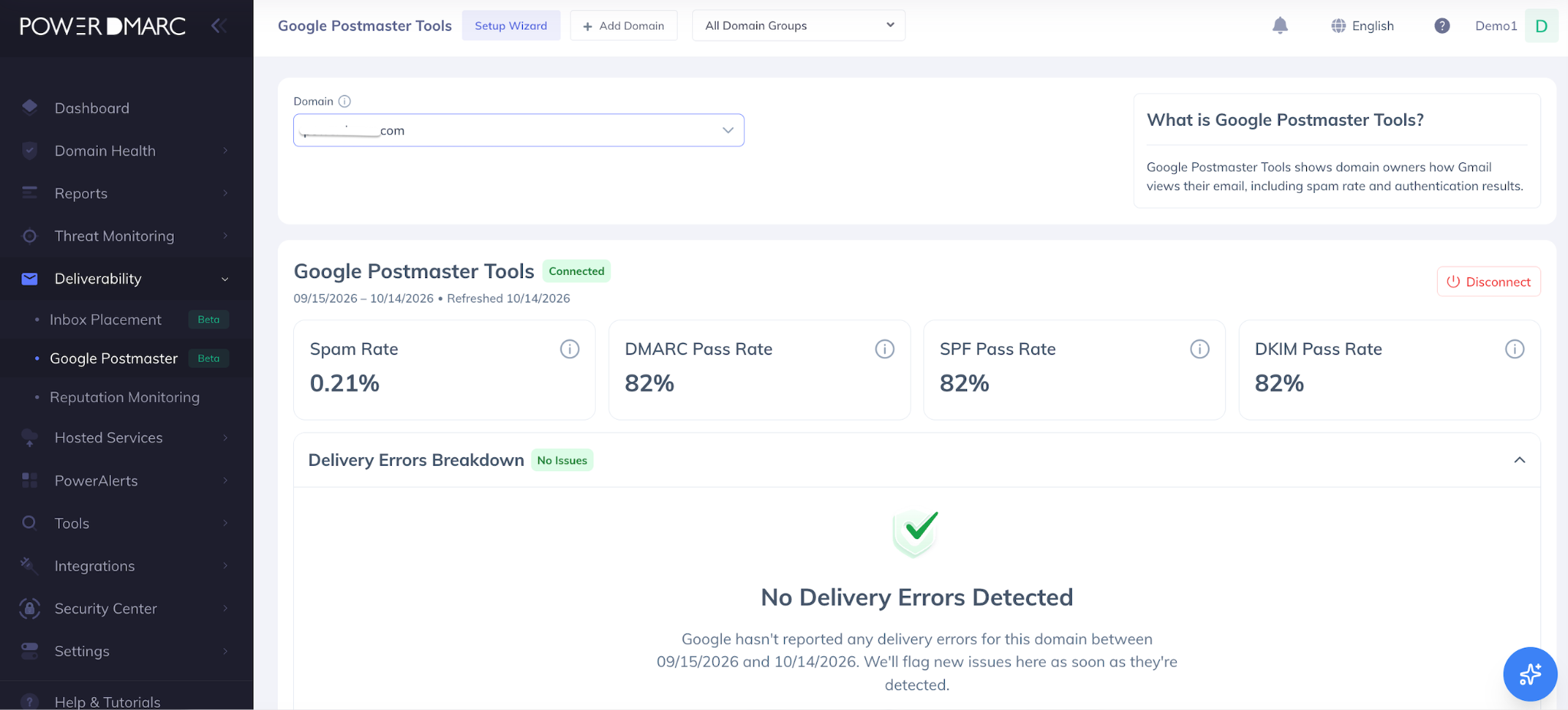
Disconnecting Google Postmaster Tools
To disconnect, navigate to Deliverability > Google Postmaster Tools and click Disconnect. Disconnecting immediately revokes the OAuth token and removes all GPI data from the dashboard.
Export Options
Individual test results can be exported as branded PDF reports for sharing with stakeholders, customers, and internal teams. Historical test data and aggregated summaries can be exported as CSV files for further analysis, reporting, and workflow integration.
Use Cases
Pre-campaign validation — Test before every major send to catch authentication regressions, content issues, or configuration drift.
New domain warm-up monitoring — Track inbox placement as a new sending domain builds its reputation.
Post-configuration verification — Confirm that SPF, DKIM, or DMARC changes have taken effect and are passing as expected.
Compliance auditing — Verify one-click unsubscribe header implementation before sending to Gmail or Yahoo bulk sender thresholds.
Content health checks — Identify spam trigger words, broken links, oversized HTML, and structural issues before a campaign goes out.
Gmail reputation monitoring — Use the GPI integration to track your domain's spam rate and authentication compliance as reported by Google on an ongoing basis.
Conclusion
The Google Postmaster Tools integration gives PowerDMARC users visibility into Gmail's reporting data for their domains, including spam rates, authentication pass rates, and delivery errors. By monitoring these metrics, organizations can identify potential deliverability concerns and make informed decisions to improve their email sending practices.
For further assistance, visit support.powerdmarc.com or contact your PowerDMARC account manager.