
This guide is designed for MSSPs (Managed Security Service Providers) who manage multiple clients within the PowerDMARC platform. Understanding how to access and interpret the Audit Logs feature is critical for maintaining transparency across accounts, ensuring policy compliance, and supporting proactive security oversight.
What Is the Audit Log Feature?
The Audit Log serves as a comprehensive tracking tool that records a timeline of actions taken across your managed environments. This includes—but is not limited to—client login attempts, adjustments to DNS authentication protocols (SPF, DKIM, DMARC, MTA-STS), user access changes, feature activations or deactivations, and updates to organizational policies.
This feature empowers MSSPs to maintain full accountability, swiftly investigate anomalies, and deliver value-added oversight for their clients by ensuring all activity remains traceable and secure.
How to Access Audit Logs
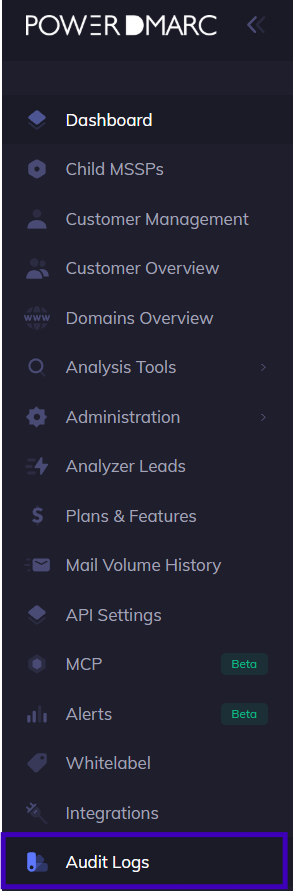
Log into the MSSP portal and click on Audit logs on the bottom of the panel.
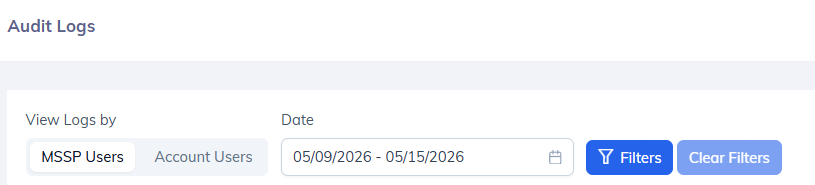
Use the filter options to search by Activity, Account, or date.
You will see a full view of actions performed across your domain.
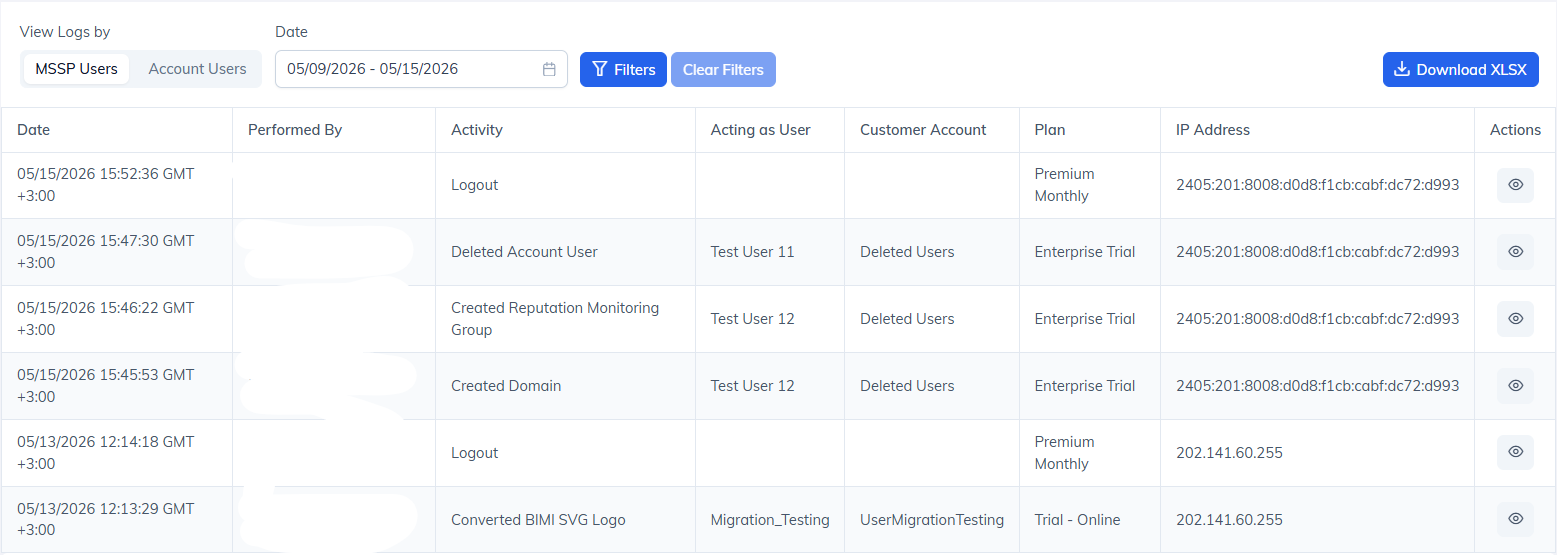
Export logs for audit purposes.

Tips for Effective Use
Regularly monitor the logs to catch any unauthorized or unexpected changes.
Set internal guidelines for reviewing logs monthly or weekly.
Sub admins are limited to viewing their actions.
Use the export feature for archiving or compliance audits.
Audit Logs — Deleted User Visibility Enhancement
The Audit Logs feature has been updated to maintain full traceability even when a user account has been deleted. Previously, deleting a user caused all associated log entries to lose their identifiable context, creating gaps in security monitoring and compliance reporting. With this enhancement, deleted users remain visible in audit logs so you can continue to track all actions performed by or on that account.
What's Changed
Persistent User Identity User identity, email address, and IP address are now captured directly in the audit log record at the time the action occurs. This means the information persists in the log even if the user account is later deleted. This applies to:
MSSP accounts viewing logs as MSSP
MSSP accounts viewing logs as Account Users
"(Deleted User)" Label When a user referenced in a log entry no longer exists in the system, the audit log will display a (Deleted User) label next to their identifier. This label appears in both the Performed By and Target User fields wherever user identity is shown.
Deleted User Filtering The user filter dropdown on the Audit Logs page now includes deleted user accounts. Deleted users are visually differentiated from active users (greyed out) and can be selected alongside active users in a combined filter.
Important Notes
Audit logs are immutable — the (Deleted User) label is display-only and does not modify the underlying log record.
This enhancement does not restore deleted user accounts or affect existing user deletion workflows.
All existing filtering and log separation behaviour remains unchanged.
Conclusion
The Audit Log feature in PowerDMARC offers MSSPs complete transparency into account-level activities across all managed tenants. It empowers service providers to oversee client-side changes, enforce security best practices, and respond swiftly to unauthorized actions. Regardless of your admin level, understanding how to access and review these logs is key to delivering secure and reliable email threat management.