
Overview
The Inbox Placement Analyzer is a self-service deliverability testing tool built into the PowerDMARC platform. It enables organizations to proactively evaluate email deliverability before launching live campaigns identifying authentication gaps, inbox placement issues, and compliance failures with actionable, prioritized remediation guidance.
Rather than waiting for bounce reports or spam complaints after a campaign goes out, the Inbox Placement Analyzer lets you validate your email sending infrastructure against real mailboxes across major email service providers (ESPs), all from within the PowerDMARC dashboard.
Key Capabilities
Supported Seed Mailbox Providers
The Inbox Placement Analyzer tests deliverability against the following email providers:
• Gmail (Google Workspace / personal Gmail)
• Outlook / Office 365 (Microsoft)
• Yahoo Mail
• Amazon Web Services (AWS) Amazon WorkMail
• Zoho Mail
• Apple iCloud Mail
How It Works - Configuration steps
1. Launch the Test Creation Wizard - Navigate to Analysis Tool > Inbox Placement Analyzer and click on Dashboard > Add New Test
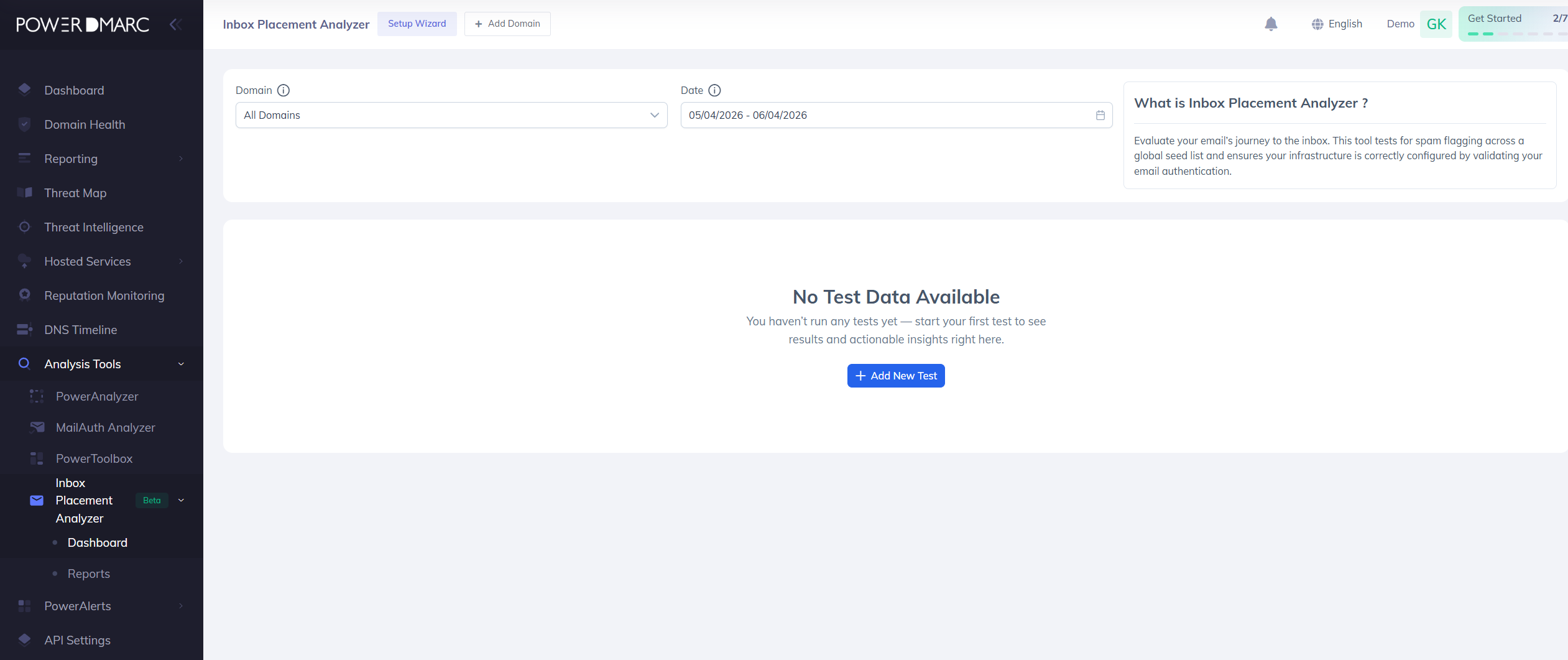
2. Fill the Test Type box with details (Test name, choose any or multiple Providers, Domain Name) as shown below and click on Next.
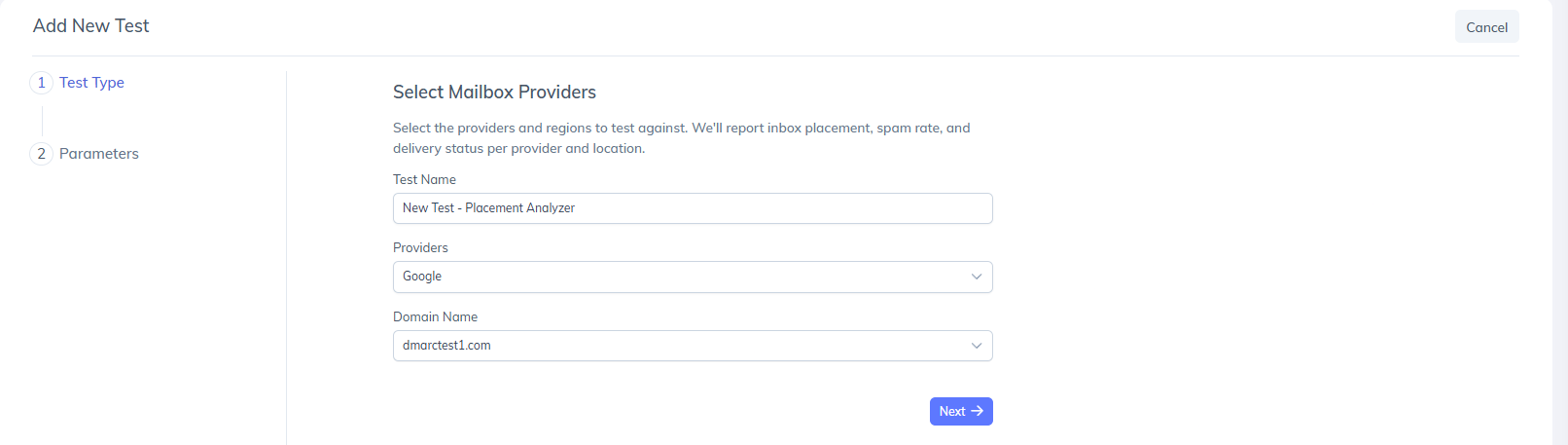
3. Copy the generated tracking ID and seed mailbox addresses.
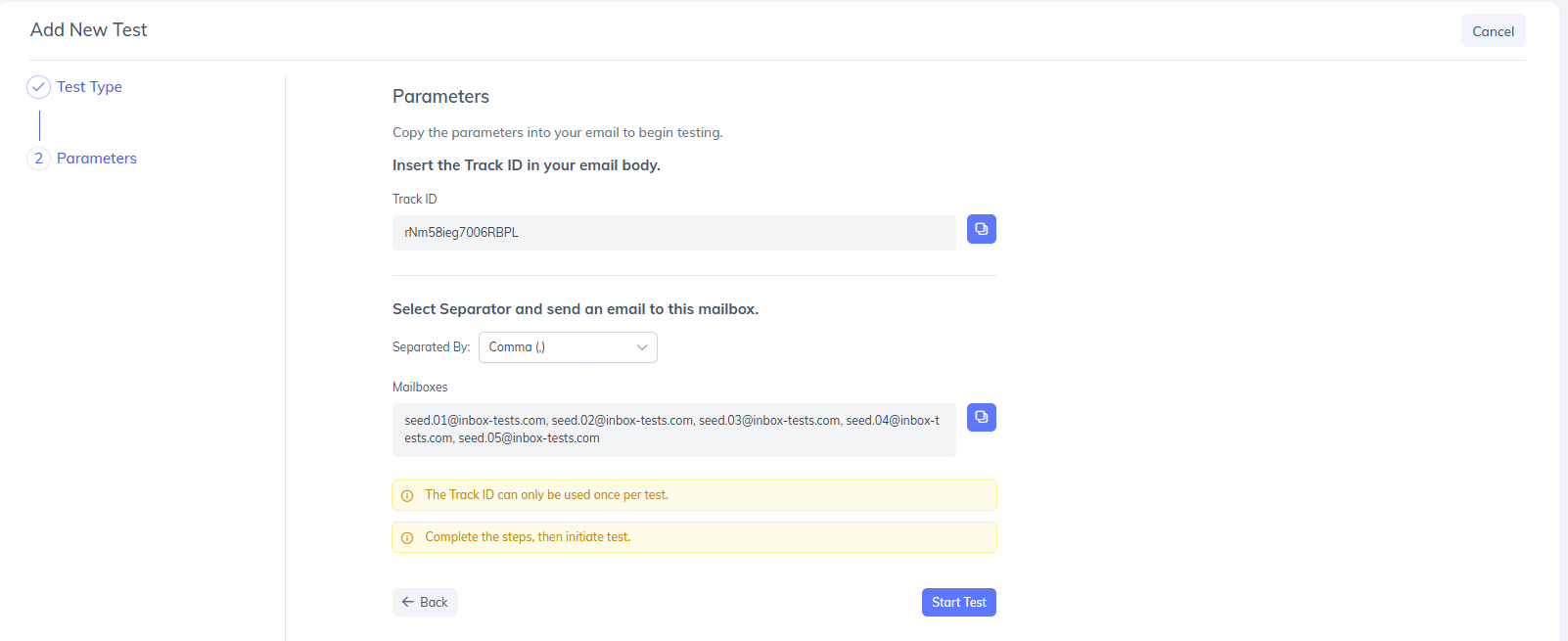
4. Send your test email with the “Track ID” to the seed addresses from your actual sending infrastructure and click on Start Test.
5. The platform polls seed mailboxes for up to 10 minutes and classifies each delivery as Inbox, Spam, Promotions/Other, or Not Received.
6. Now you may want to navigate back to the Inbox Placement Analyzer Dashboard or Reports option and the test results will be available shortly.
Dashboard and Analytics
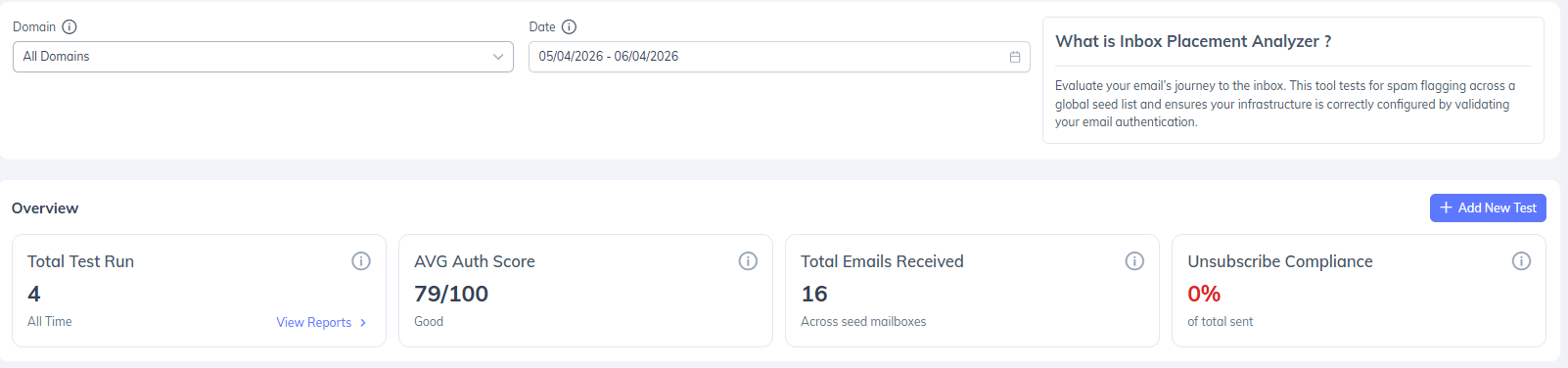
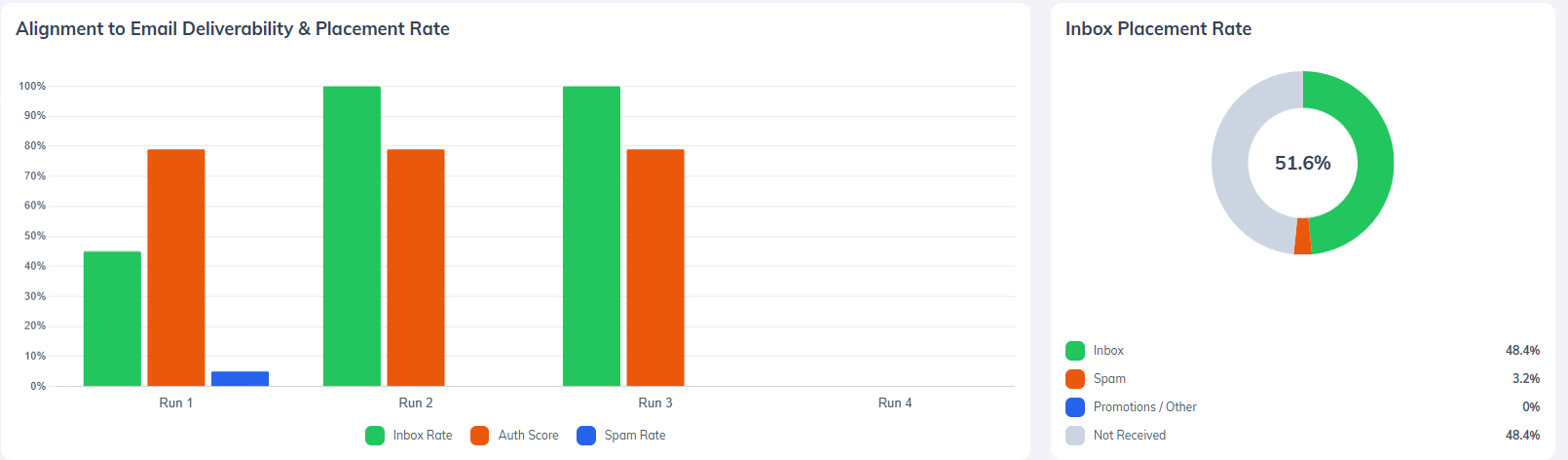
The analytics dashboard aggregates data across all test runs, providing visibility into total tests executed, average authentication score, total emails received, and unsubscribe compliance rate.
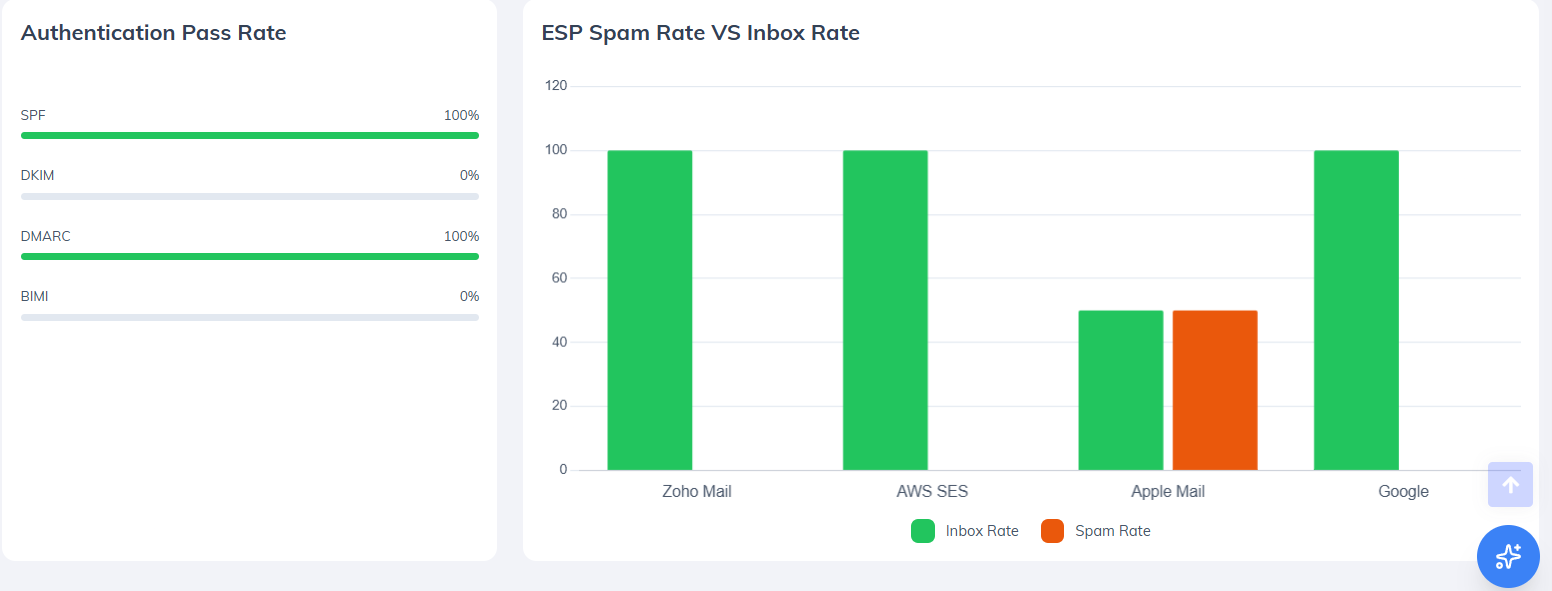
Available visualizations include:
• Authentication score trends over time
• Inbox placement rate trends
• Overall placement distribution
• ESP-level inbox versus spam placement comparison
• SPF, DKIM, DMARC, and BIMI pass-rate analysis
Detailed Test Reports
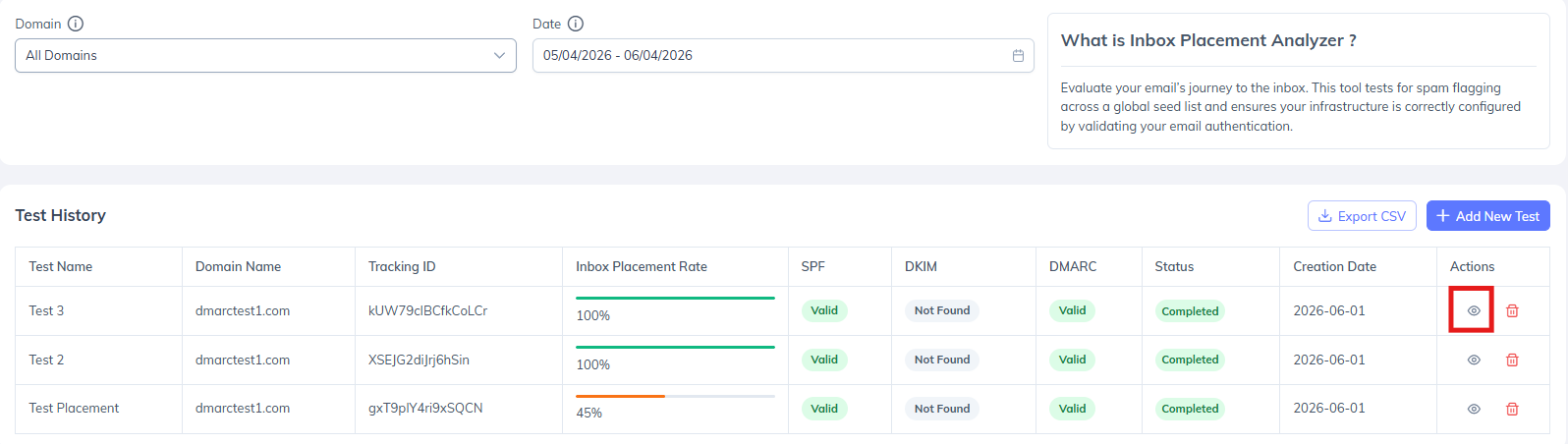
Select an individual test to access a detailed deliverability assessment
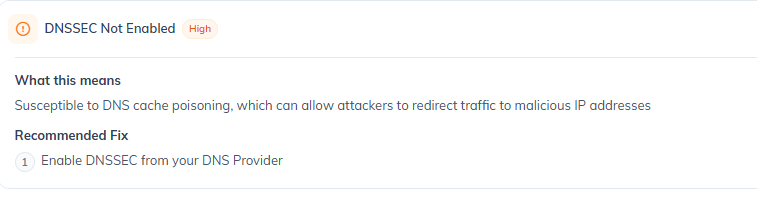
Issues & Recommendations
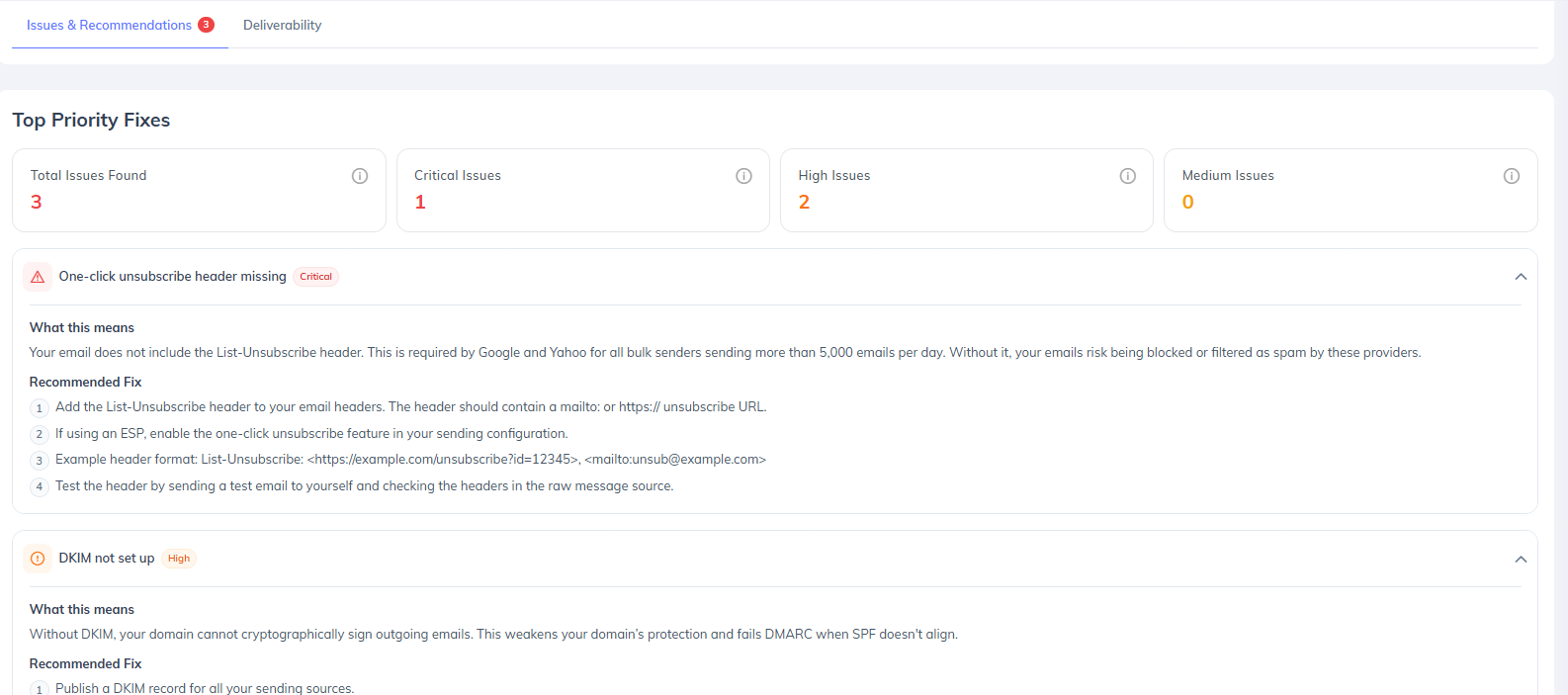
The Issues & Recommendations tab highlights identified deliverability and compliance concerns, categorized by severity:
• Critical
• High
• Medium
Issues are organized across four primary categories:
• One-Click Unsubscribe Compliance
• Email Authentication Failures
• Authentication Best Practices
• Spam Placement Analysis
Each issue includes a plain-language explanation, remediation guidance, and recommended corrective actions.
A Fix Priority List automatically identifies the top three remediation actions expected to have the greatest impact on authentication compliance and inbox placement performance.
Deliverability Analysis
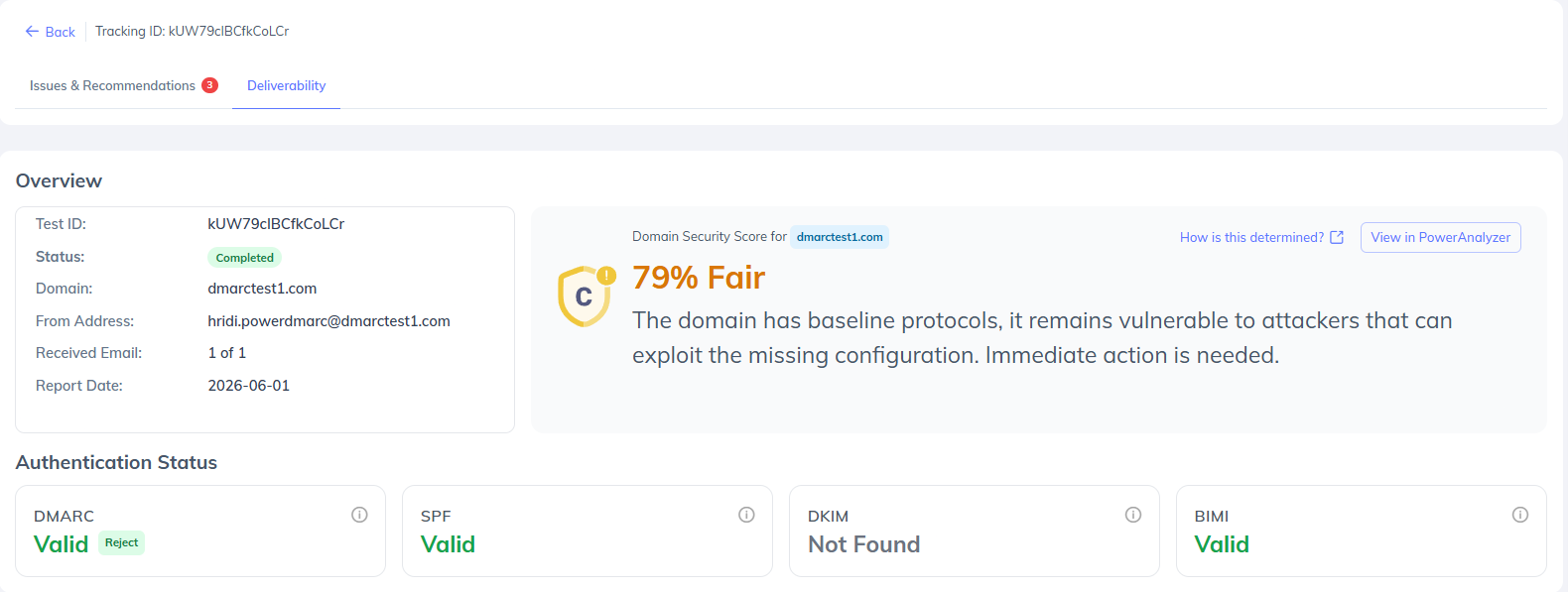
The Deliverability section provides a detailed overview of the tested domain, including:
• Domain Security Score
• SPF, DKIM, DMARC, and BIMI validation results
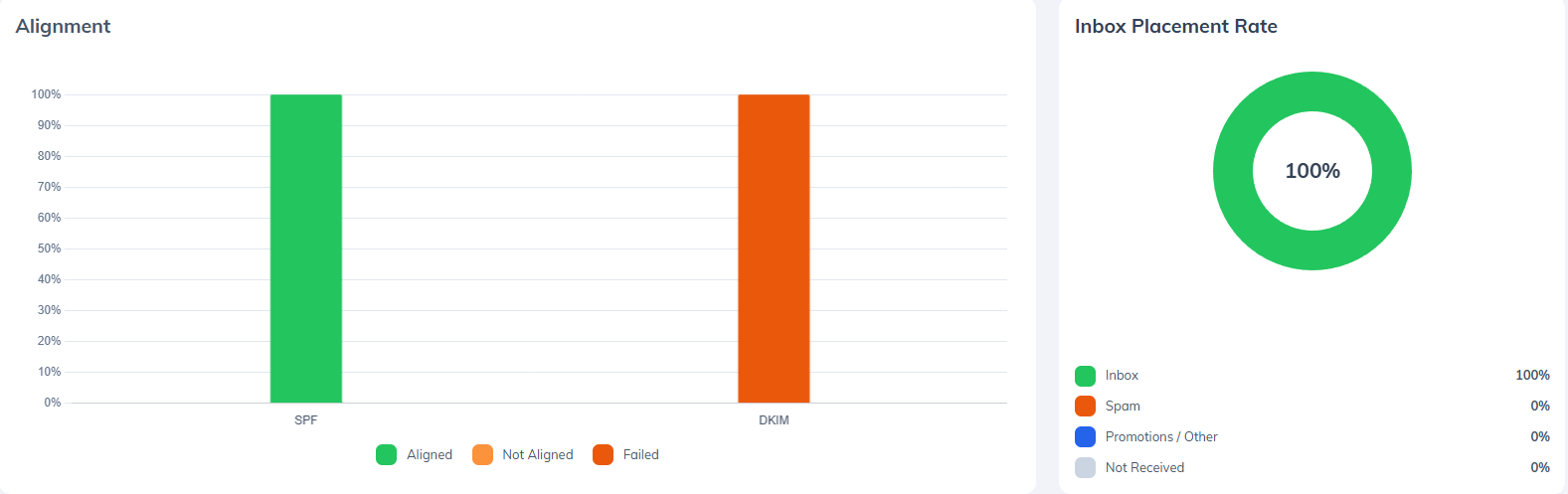
• Authentication alignment insights
• Inbox placement rate and placement distribution
• Provider-level deliverability breakdown
The provider-level breakdown displays inbox placement, spam placement, and delivery counts across Gmail, Outlook, Yahoo Mail, Amazon WorkMail, Zoho Mail, and Apple iCloud Mail.

Export Options
Individual test results can be exported as branded PDF reports for sharing with stakeholders, customers, and internal teams.
Historical test data and aggregated summaries can be exported as CSV files for further analysis, reporting, and workflow integration.
Use Cases
• Pre-campaign validation — Test before every major send to catch authentication regressions or configuration drift.
• New domain warm-up monitoring — Track inbox placement as a new sending domain builds its reputation.
• Post-configuration verification — Confirm that SPF, DKIM, or DMARC changes have taken effect and are passing as expected.
• Compliance auditing — Verify one-click unsubscribe header implementation before sending to Gmail or Yahoo bulk sender thresholds.
Conclusion
The Inbox Placement Analyzer gives organizations a reliable, pre-send window into their email deliverability posture eliminating the guesswork that typically comes with launching campaigns blind. By combining real mailbox testing across six major providers with automated authentication validation, issue prioritization, and plain-language fix guidance, it enables both technical and non-technical users to proactively resolve deliverability risks before they impact recipients.
Whether you are validating a new sending domain, verifying a recent DNS configuration change, or preparing a deliverability report for a client, the Inbox Placement Analyzer provides the visibility and actionability needed to send with confidence. As part of the broader PowerDMARC platform, it complements your existing DMARC, DKIM, and SPF enforcement workflows closing the loop between policy configuration and real-world inbox performance.